
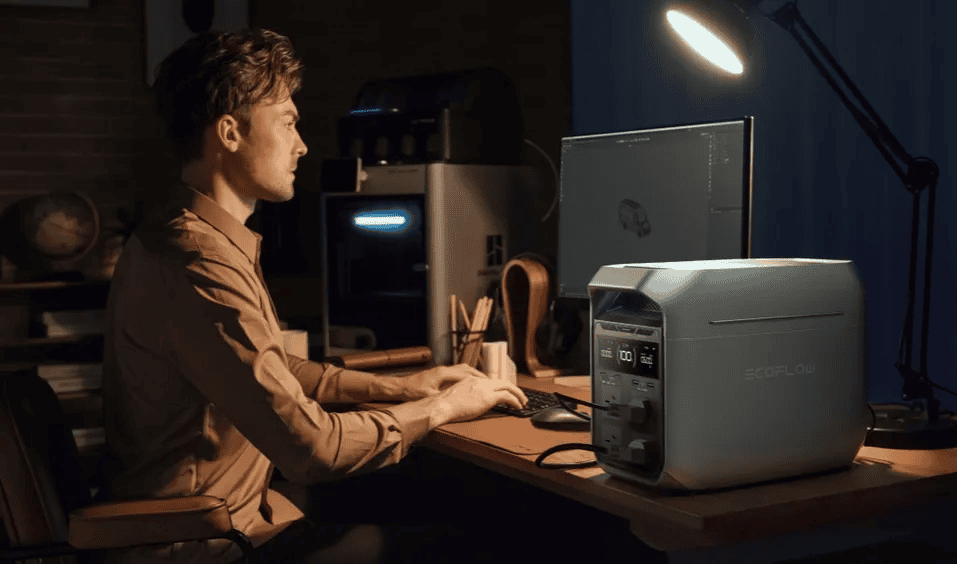
Home office power backup should do more than keep a light on. It should protect active work, maintain internet access, and give your essential equipment enough runtime to finish meetings, save files, and stay productive during outages. The most important features are fast transfer time, stable output, battery capacity matched to your actual load, practical ports, low noise, and quick recharging between events. When these features work together, backup power feels less like an emergency tool and more like part of your workstation. Choosing the right unit starts with understanding which specifications affect daily work and which ones matter most during interruptions.
Features That Help Keep Your Workstation Running
Transfer Time and Automatic Backup Operation
Transfer time matters because even a short interruption can shut down sensitive devices, drop a video call, or restart networking gear. For a home office, automatic power backup operation should switch from wall power to battery quickly enough to support computers, monitors, routers, and attached storage without forcing manual intervention. A strong benchmark is UPS-level response, especially if you rely on uninterrupted connectivity or run critical files locally. The EcoFlow DELTA 3 Plus includes a 10 ms UPS function, which is designed to help support home office continuity. It also supports NAS servers and HID communication, both useful for users who want cleaner device management, status reporting, and more controlled shutdown behavior during longer outages.
Continuous Output and Device Compatibility
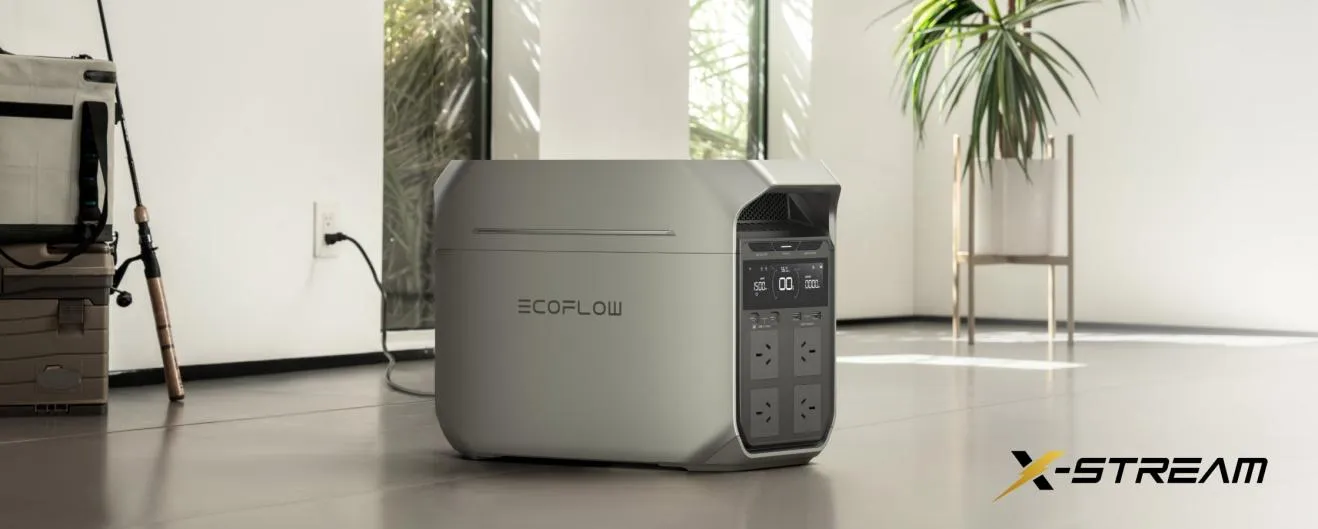
Continuous output determines whether a backup unit can handle your real working load, not just a phone charger and lamp. Add up the wattage of the equipment you need running at the same time, including startup spikes from displays, desktop towers, printers, or networking hardware. Device compatibility also matters because some electronics need stable AC power and enough headroom to avoid overload warnings. Look for a system that covers both normal draw and brief surges without constant power budgeting. The EcoFlow DELTA 3 Plus provides 1800W AC output, with 2400W and up to 3600W surge using X-Boost, giving many home office setups enough flexibility to power multiple essentials together.
Features That Determine How Long You Can Work
Usable Battery Capacity for Your Essential Setup
Battery capacity determines how long your core setup can stay online, but usable runtime depends on what you actually plug in. A laptop, monitor, router, and desk light consume far less than a desktop workstation with several displays and external drives. For practical planning, define your essential load first, then match it to a battery size that leaves a margin for longer meetings or delayed restoration. Capacity flexibility is especially helpful if your needs grow over time. The EcoFlow DELTA 3 Plus spans 1-5 kWh capacity, which gives users room to size backup around a lightweight remote-work desk or a more demanding workstation. Better sizing means fewer surprises during real outages.
Recharge Speed and Support for Repeated Outages
Recharge speed matters when outages happen more than once in a day or continue over several days. A unit that restores battery quickly is more prepared for the next interruption and reduces the need to conserve power aggressively after every event. This feature becomes even more important in regions with unstable grids or storm-related disruptions. Look beyond battery size and check how many charging options are available, since flexible input methods make recovery easier in changing conditions. The EcoFlow DELTA 3 Plus offers five fast recharging methods, which can help users refill between outages and adapt to different power sources. Faster recovery supports steadier work schedules and less downtime overall.
Features That Make Backup Easier to Use Every Day
Useful Ports, Clear Monitoring, and Accessible Controls
A good backup unit should fit naturally into daily workflow, not feel like a complicated emergency appliance. Useful ports let you connect work essentials directly without extra adapters, while clear monitoring helps you track battery level, input, output, and remaining runtime at a glance. Accessible controls matter too, especially when you need to manage loads quickly during an outage or shut down nonessential devices to extend battery life. Smart energy tools can also simplify routine use by showing patterns and helping you optimize charging and power distribution. An intelligent management platform such as EcoFlow Oasis adds value here by making the system easier to monitor, manage, and integrate into everyday home office use.
Fan Noise, Ventilation, and Desk-Side Placement
Noise affects concentration, call quality, and overall comfort, so fan behavior deserves more attention than many buyers give it. If a backup unit will sit near your desk, choose one quiet enough for meetings and focused work under typical loads. Ventilation also matters because cramped placement can reduce performance or cause warmer operation. Leave adequate clearance around air vents and avoid enclosing the unit under a desk without airflow. For shared rooms and smaller offices, quieter performance can make backup power feel invisible during normal use. The EcoFlow DELTA 3 Plus operates silently under 600W at about 30 dB, which helps it blend into ambient room noise while supporting practical desk-side placement.
Conclusion
The power backup features that matter most for home offices are the ones that protect continuity first and convenience second. Fast transfer time, enough continuous output, right-sized battery capacity, quick recharging, practical controls, and low noise all directly affect whether you can keep working through an outage. Focus on your essential devices, calculate their power needs, and choose a system that supports both short disruptions and longer interruptions. When backup power matches your actual workflow, it becomes a reliable part of your workspace rather than a last-minute emergency solution.